Apple has issued a new security warning against sophisticated spyware attacks targeting iPhone users. It was reported that the company sent threat notifications to certain users in 99 countries on October 30, and that those who received the warning included journalists and documentary filmmakers.
These notifications do not mean that all iPhones in 99 countries are at risk. According to Apple, such attacks differ from general fraud attempts in that they target specific individuals. The selection of targets may be related to the person's identity, profession, or the sensitive information they can access.
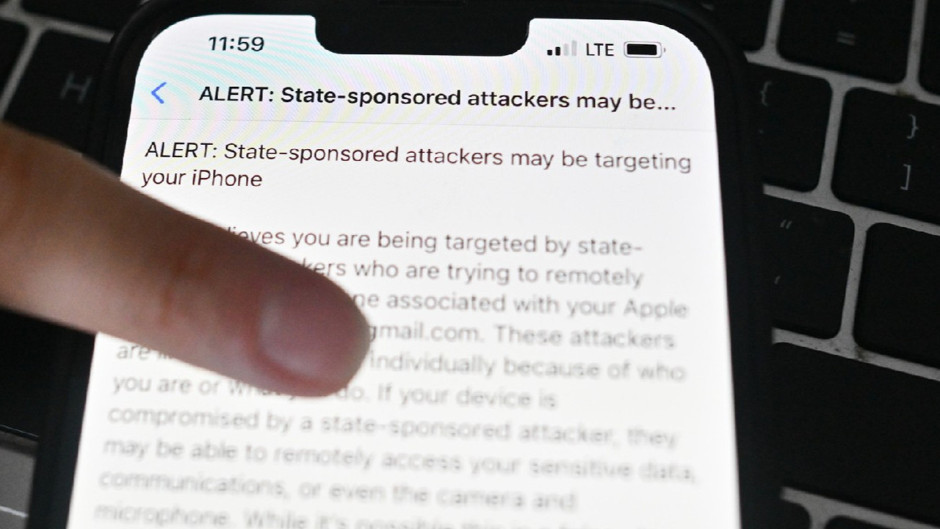
Apple states that it has sent similar security warnings to users in more than 150 countries since 2021. It was not disclosed how many users were notified in the latest wave or how many people received the notifications in which countries. The company also does not share details regarding who is behind the attacks or its detection methods.
HOW TO CHECK FOR A WARNING?
When Apple detects suspicious targeting, it notifies the user via the iPhone's lock screen, the Settings menu, and the email address associated with their Apple Account. Users can also check if there is a genuine threat notification at the top of their account page by logging in to account.apple.com.
The company also emphasizes the need to be cautious against fake security messages. Real threat notifications from Apple do not ask users for passwords, verification codes, or to install any applications. Therefore, it is recommended to be cautious against messages containing such requests.
Users who believe they may be targets of spyware attacks are advised to enable Lockdown Mode on their iPhone. This feature can be turned on by following the steps Settings > Privacy & Security > Lockdown Mode, and it provides additional protection by restricting certain functions that attackers could exploit.
Apple recommends keeping iPhone software up to date and that those who receive a threat notification seek support from digital security experts. However, it is noted that Lockdown Mode does not remove existing spyware, and not receiving a notification does not mean the device is definitively secure.
News Source: 12punto