Google Chrome is rolling out a feature that will allow you to download web pages as applications. This feature enables a more flexible experience for Chrome with Progressive Web App (PWA) support.
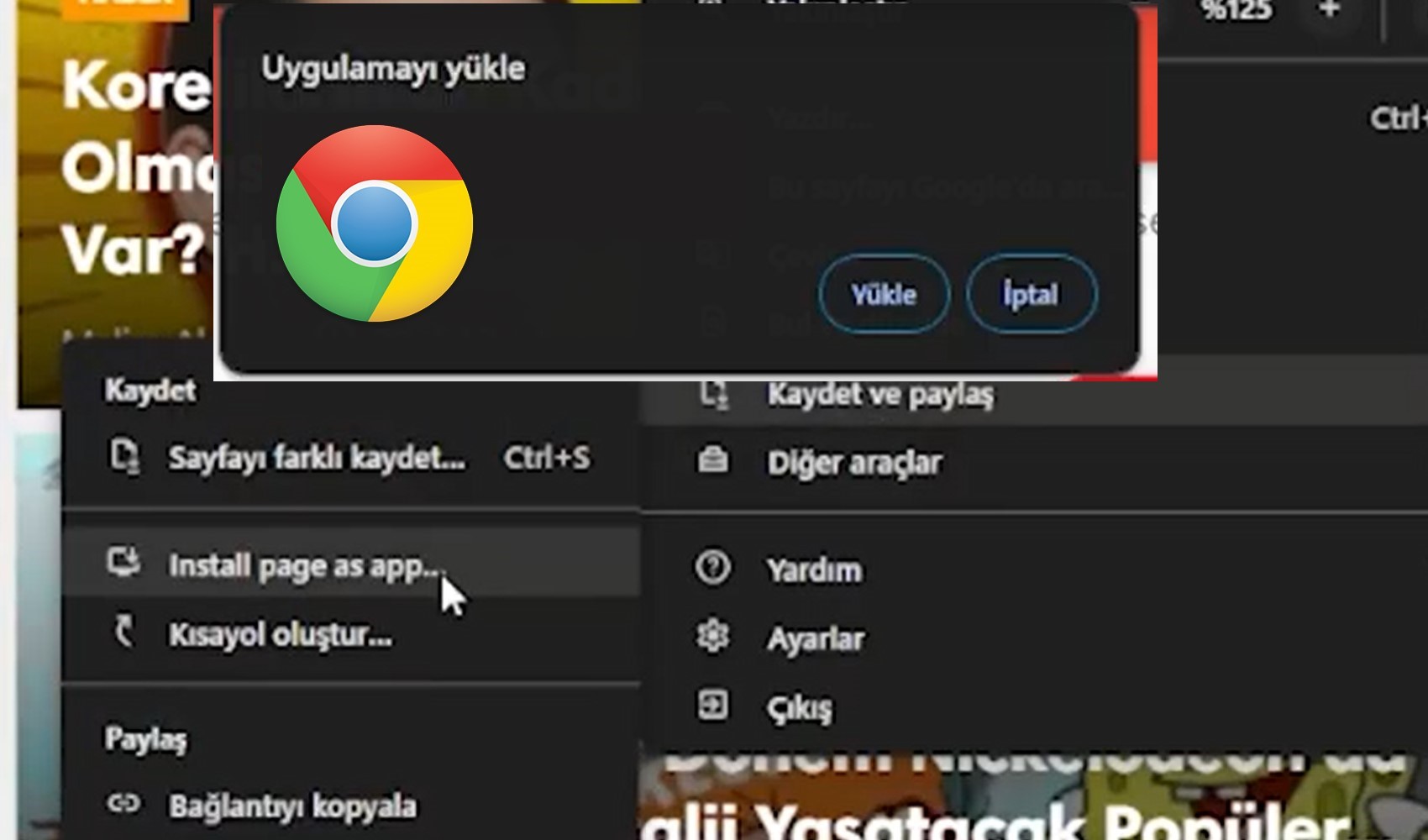
To enable this feature, you need to use the flags section in the Canary version. Once enabled, to save a page as an app, simply click on the three dots in the top right corner and go to the "Save and share" option. You can complete the process by selecting the "install page as app" option in the menu that opens.
After saving a page, you will have various options when you open it, which will provide enough flexibility for a single page. However, this feature also differs from the traditional page-saving method. While this method allows you to use the page like an app, it does not offer the flexibility of downloading the page to use as an HTML file.
In Chrome Canary now all pages are "installable", Google has added a new "Install page as app..." item to the Save and share submenu:https://t.co/79NFQQmMf3
— Leopeva64 (@Leopeva64) March 7, 2024
.https://t.co/r8AL0zOJWy pic.twitter.com/yorewXO1F2
News Source: 12punto