
The earthquake alert notification application has seen great interest following recent earthquakes. The earthquake alert system on iPhone and Android phones can sometimes warn users even 5 seconds before an earthquake. So, how do you activate earthquake notification alerts on phones?

HOW TO ENABLE EARTHQUAKE ALERTS ON YOUR PHONE?
In addition to the earthquake alert systems built into iPhone and Android devices, you can also be instantly informed about earthquakes through various applications.
The eAFAD application, developed by the Disaster and Emergency Management Authority (AFAD), sends instant notifications to users about earthquakes that have occurred.
Furthermore, users can access detailed information such as the exact location, magnitude, depth, and time of earthquakes via a map.
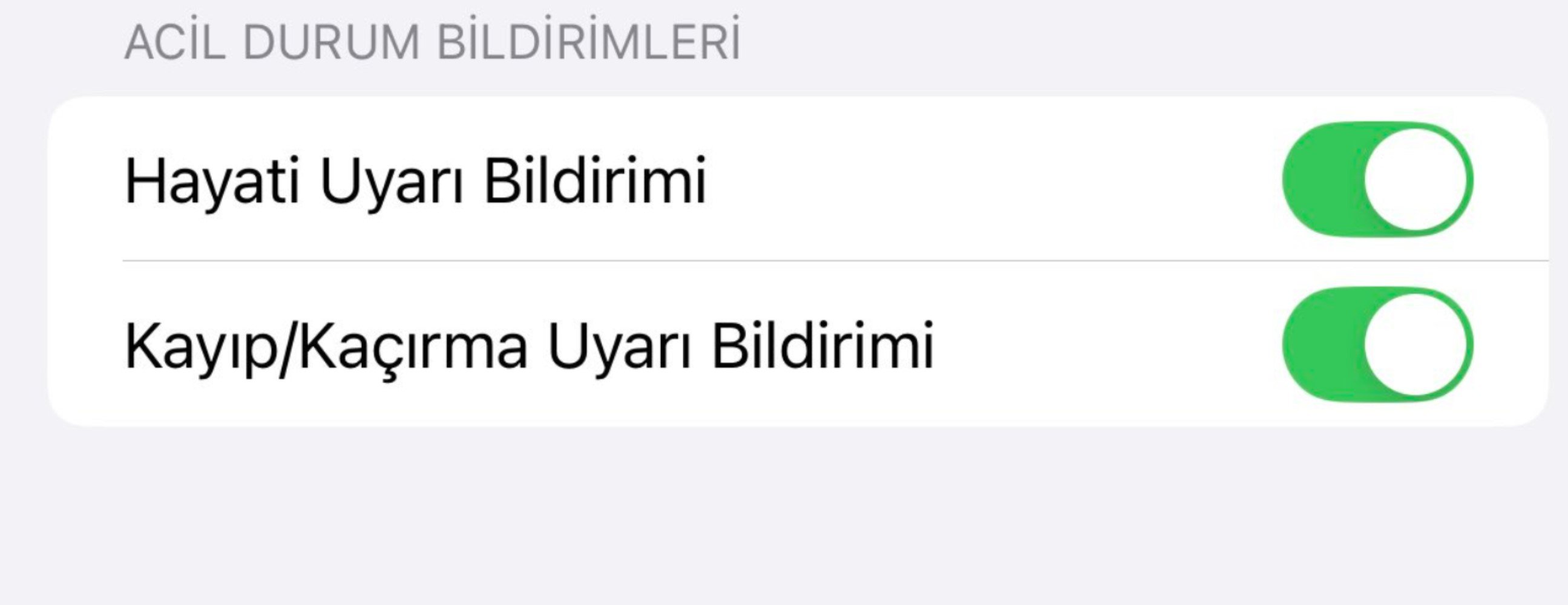
HOW DO EARTHQUAKE ALERTS REACH IPHONE PHONES?
Apple's iOS operating system on iPhone devices includes a dedicated earthquake alert system.
Thanks to the "Emergency Alerts" feature, iPhone users can receive alerts based on information from official authorities regarding situations that threaten safety, such as earthquakes.
This system also sends notifications for natural disasters such as floods and fires. To activate earthquake alert notifications on iPhone devices with the iOS operating system, follow these steps:
Go to the "Settings" menu.
Find and click on the "Notifications" option.
Activate the "Emergency Alerts" button located at the very bottom of the page.
HOW DO EARTHQUAKE ALERTS REACH ANDROID PHONES?
On Android devices, Google's earthquake alert system is available. This system detects all earthquakes worldwide and sends free alerts to users.
In countries like Turkey, which are located in earthquake zones, activating this system is of great importance.
To enable the earthquake alert system on Android phones, follow these steps:
Go to the "Settings" menu.
Click on the "Location and Safety" section.
Find the "Earthquake Alerts" option and activate it.
News Source: 12punto