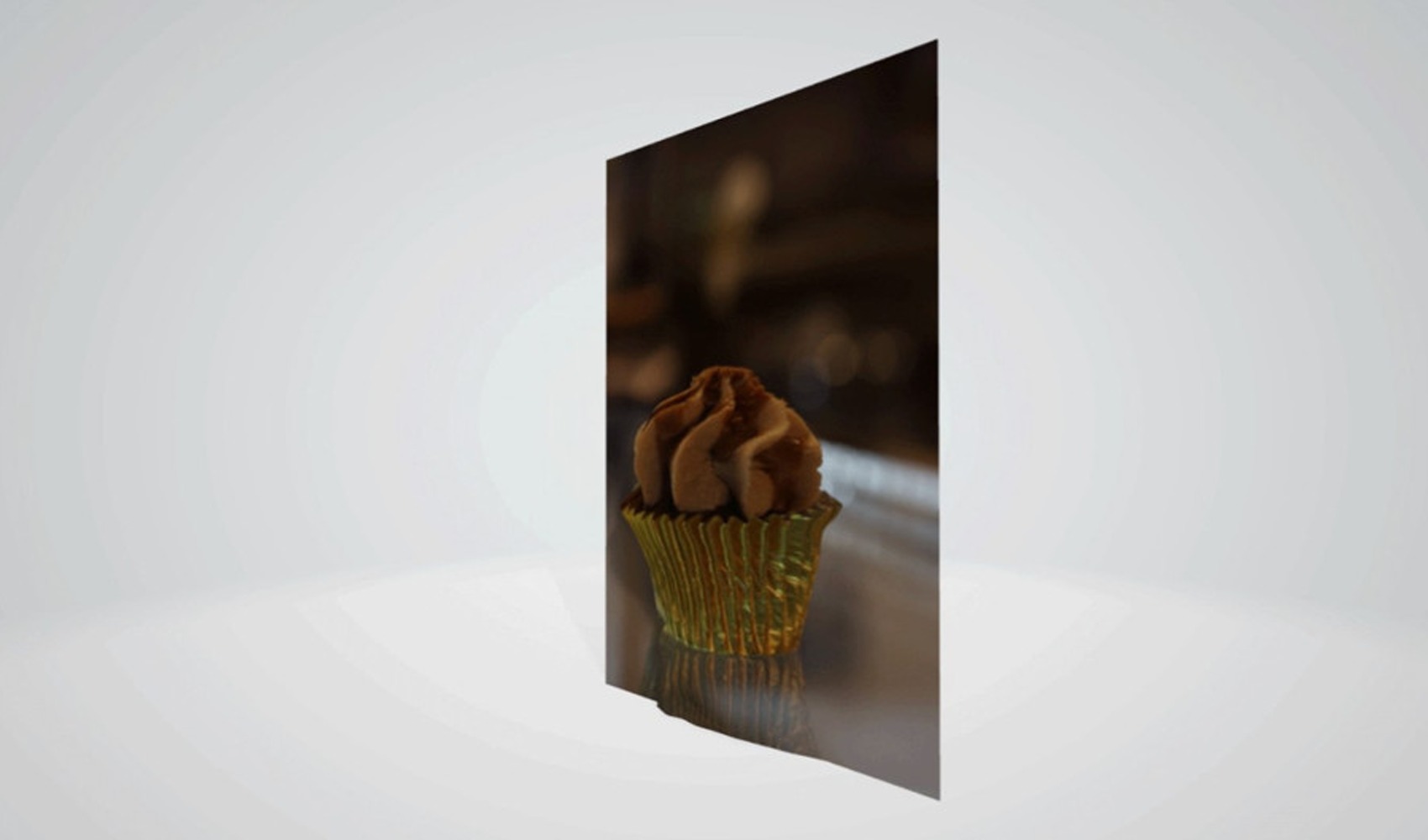
Canon has released the Dual Pixel 3D Converter software, which can transform a single photo taken with compatible cameras into a three-dimensional model. The software, also referred to as DP3D, creates a 3D model using depth information obtained from the photo; users can prepare short MP4 videos from this model, remove the background, and adjust the depth effect.
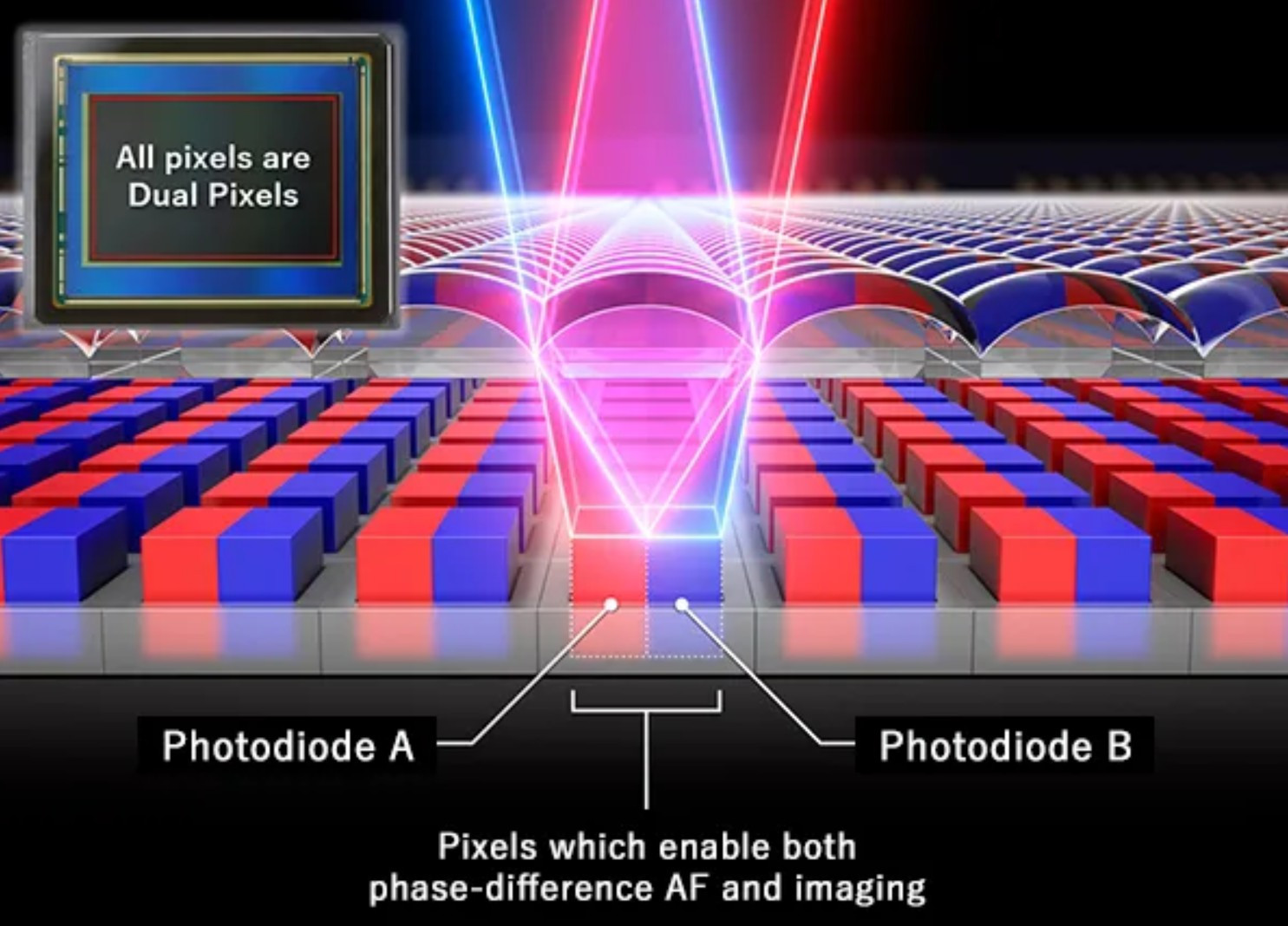
At the core of the software is Canon's Dual Pixel system, which is used for autofocus. In this system, each pixel on the sensor utilizes two separate parts that perceive the scene with a very small angle difference. The camera can calculate the distance of objects based on this difference; the Dual Pixel 3D Converter carries this distance information into the modeling process.
COMPATIBILITY AND SHOOTING CONDITIONS
Not every Canon body and lens supports this feature. Canon's list includes the EOS R5, EOS R5 Mark II, EOS R6 Mark II, EOS R6 Mark III, EOS R7, EOS R8, EOS R8 Mark II, and EOS R10 models. On the lens side, 12 models from the RF and RF-S series are supported; older EF and EF-S lenses remain outside the scope. For EOS R5 Mark II users, camera firmware version 1.3.1 or newer is required.
For the conversion process, the Dual Pixel RAW option must be enabled during shooting. Standard RAW or JPEG files are not sufficient for most models. As an exception, the EOS R8 Mark II can also work with JPEG files that contain distance information. However, using Dual Pixel RAW approximately doubles the file size and can increase the write time to the memory card.
Canon recommends an aperture of f/5.6 or wider and an ISO of 1600 or lower for better results. The software cannot create models at apertures above f/8 and at shots above ISO 3200. While matte surfaces, simple forms, and solid-colored backgrounds improve the result, reflections, thin parts, and intense background blur can lead to distortions in the model.
Since the system only utilizes the surfaces the camera sees at the moment of shooting, it does not complete parts of the object that remain behind or are hidden by other parts. For this reason, issues such as elongation, missing surfaces, or an artificial appearance can occur when the model is viewed from different angles. In tests by TechRadar writer Dan Mold, it was reported that more balanced results were obtained for objects with little depth difference, while large protrusions could create an artificial effect.
Dual Pixel 3D Converter runs on Windows 11 64-bit version 24H2 or higher. For the software, which requires at least 8 GB of memory and 2 GB of free storage space, Canon recommends 16 GB or more of memory. The application, which also has Turkish language support, allows for exporting models in OBJ or GLB formats, enabling editing in programs like Blender.
Canon is offering the software for free at the initial stage. The company does not provide a permanent free-use commitment, stating that terms of use and features may change in the future.
News Source: 12punto