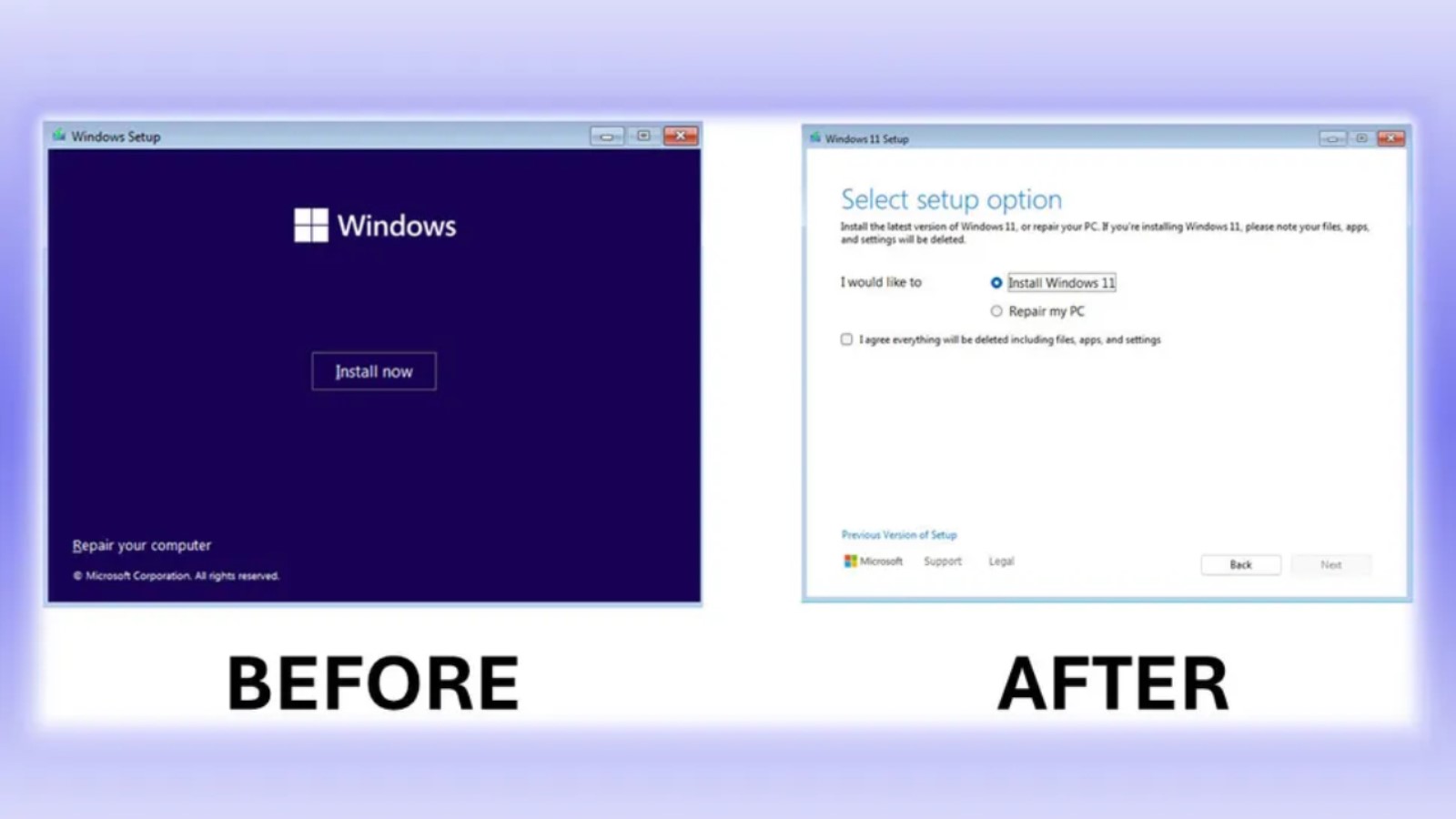
Microsoft has shared version 26040 of the new Insider preview build where Windows 11 is being tested. While there are a few minor changes in this version, the most notable point is the revamped installation screen. Microsoft states that it finds this design "much cleaner and more modern."
CHANGE FOR THE FIRST TIME IN A LONG TIME
The Windows installation screen was last updated in 2007 with Windows Vista. Since Vista, Windows 7, Windows 8 and 8.1, Windows 10, and Windows 11 have been released. In other words, we have seen 5 different operating systems between the two versions where the interface was updated. It is stated that the support systems, which have been working without issues for years during the change of this screen that is usually skipped by clicking "Next, next," will remain the same, but the appearance will be tidier. Additionally, the initial installation screen will have a consistent look with subsequent installations and updates.
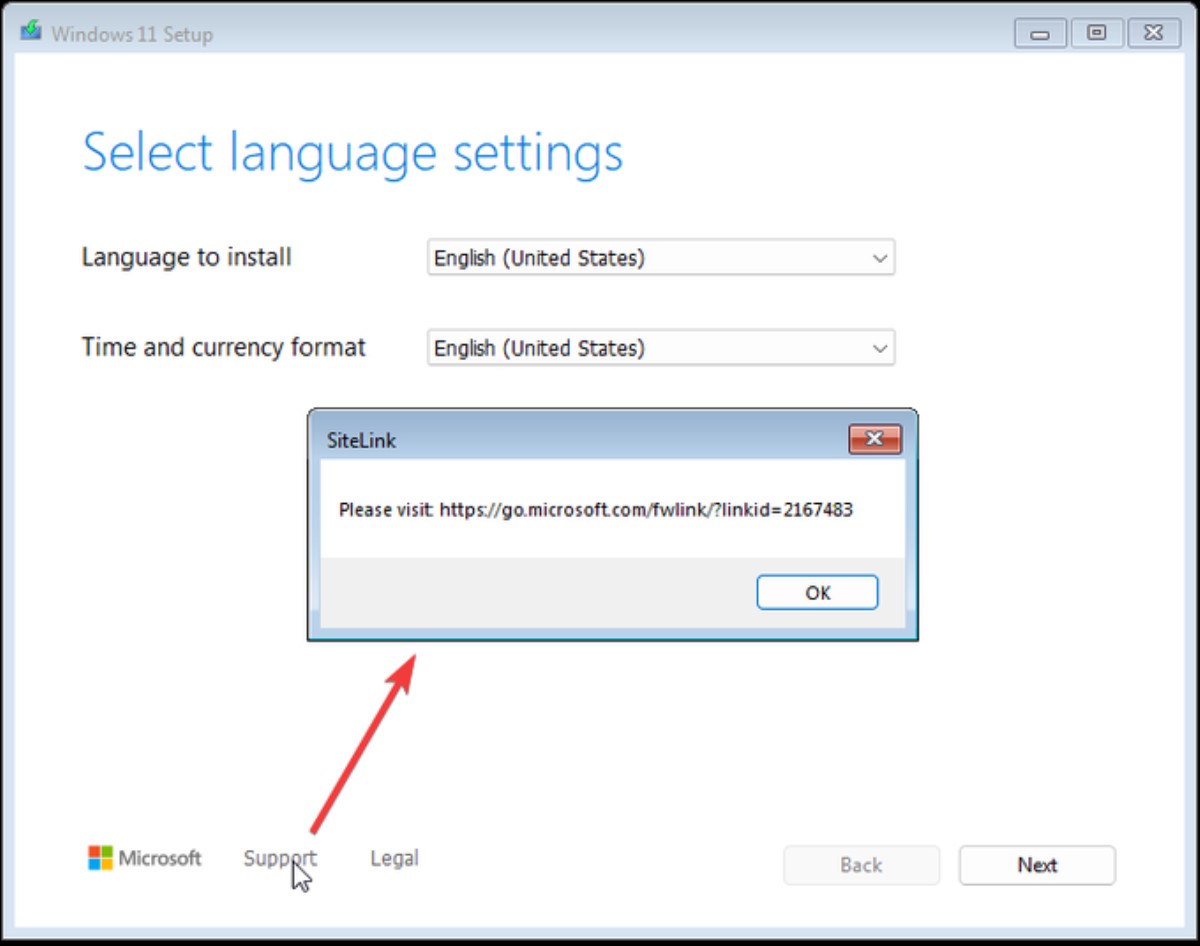
However, it is not easy to say that Windows has been able to solve all the problems on the installation screen. For example, if you press the support button during a Windows 11 installation, you can only connect to the link it provides from another device because you have not yet set up your own device. At least some smartphone cameras can now read links from images, which makes things a little easier.
With the new installation, we will be able to access screenshots we take on our phones instantly from our computers in Windows. As soon as we take a screenshot, information about the saved image will appear on our Windows device via a pop-up notification screen.
Microsoft will also offer echo cancellation and noise suppression services with its AI-powered Voice Clarity feature. Furthermore, automatic account management will be possible with Windows LAPS. USB 80Gbps support will also arrive on selected devices (devices with Intel Core 14th Gen HX-series mobile processors), allowing data transfer of up to 80 GB per second via USB.
News Source: 12punto